Short answer: To shoot reels, recipe videos or video calls hands-free, mount your phone at eye level on a surface close to where you are standing or sitting. A suction and magnetic stand works on mirrors, tiles, glass and fridges. A slim kickstand on the back of your case suits desks and tables. A charging cable with a built-in stand keeps the phone upright and powered during long calls.
Most shaky or badly framed videos come from propping the phone against a cup or holding it at arm's length. A small stand fixes both. This guide covers where to mount your phone, which type of stand suits each spot, and how to set up a clean shot.

Where should I mount my phone to shoot reels?
The spot matters more than the gear. A few places work well in most Indian homes:
- Bathroom or bedroom mirror: good for outfit, skincare and get-ready-with-me reels, since you can see the frame in the mirror.
- Kitchen tiles or a glass backsplash: good for recipe videos, shot from above the counter or at chest height.
- Fridge door or a steel almirah: good for talking-head clips and quick updates, with a clean background.
- Study or office desk: good for video calls, online classes and screen-side content.
- Gym mirror or a steel frame: good for form checks and workout clips.
Keep the camera at roughly eye level and about an arm's length or more away. That gives a natural angle and leaves room for gestures in the frame.
Which phone stand works on which surface?
| Stand type | Best surfaces | Good for |
|---|---|---|
| Suction and magnetic stand | Mirrors, glass, glazed tiles, marble, laminated wood, fridges and steel surfaces | Reels, recipe videos, workout clips, hands-free calls |
| Slim adhesive kickstand | Any flat table or desk | Watching videos, video calls, travel |
| Charging cable with built-in stand | Desk or bedside table near a charger | Long calls, streaming, charging while you watch |
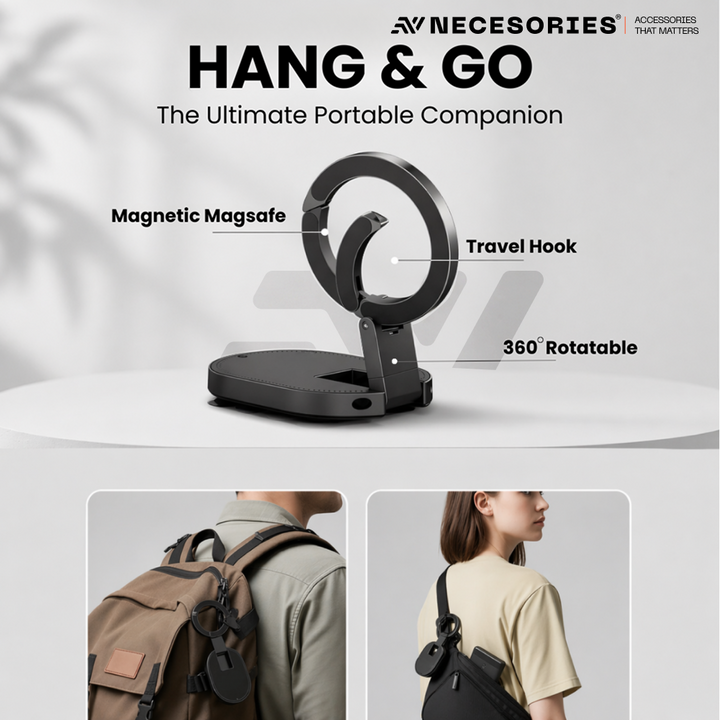
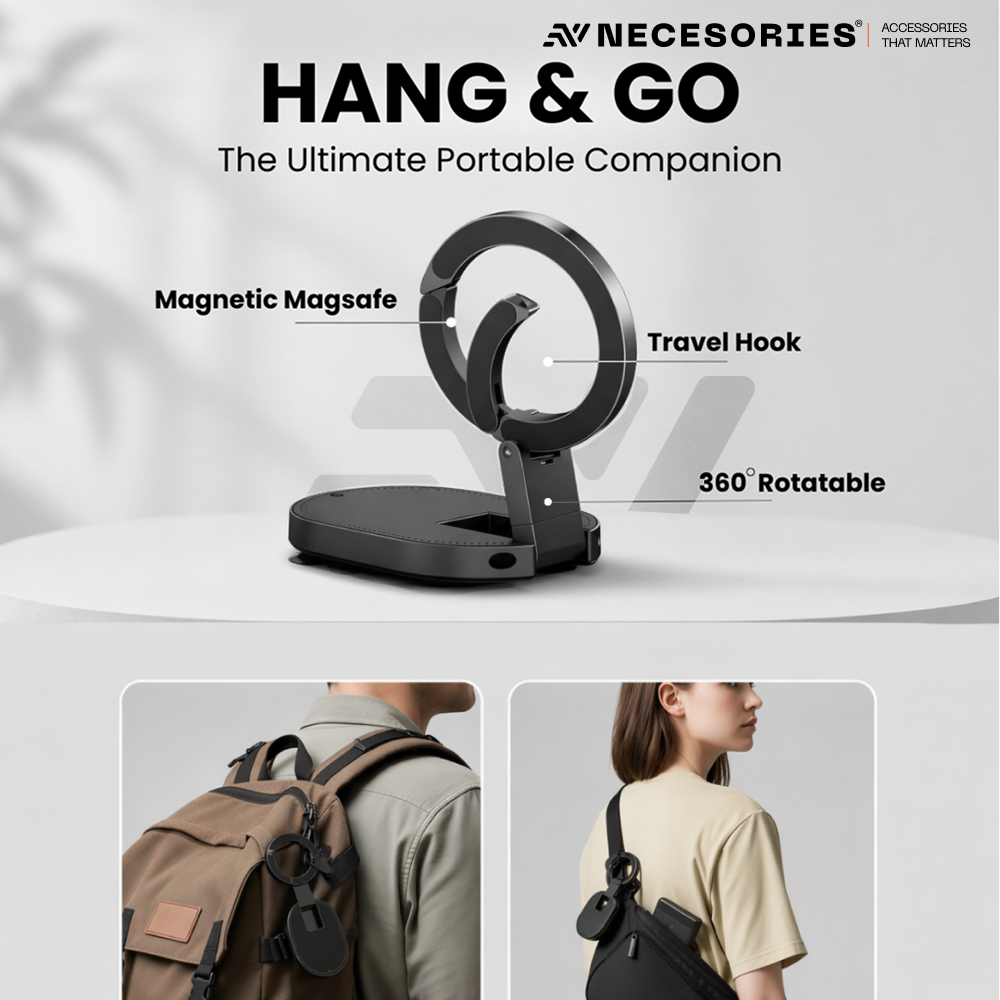
The Pocket 3-in-1 Magnetic Phone Stand covers the first row. Its silicone suction pad grips smooth surfaces like glass, tiles and mirrors with a simple press. Flip it around and a magnetic panel holds onto a fridge or any iron or steel surface. The phone attaches to the front with magnets and swivels 360 degrees, so you can switch between portrait for reels and landscape for YouTube with one finger. It folds flat and has a hook for a bag loop, so it travels in a pocket.
Will a magnetic stand work with my Android phone?
Yes, with a magnetic ring. iPhone 12 and newer have a magnetic ring built in (MagSafe), so they snap onto a magnetic stand directly, including through a MagSafe-compatible case. Most Android phones, including Samsung, OnePlus, Pixel, Redmi, Realme, Vivo and Oppo, do not have magnets inside. For those, you stick a thin magnetic ring on the back of your phone case. The Pocket 3-in-1 stand includes one in the box: peel it, press it onto the case for about thirty seconds, and the phone will hold.

What's the simplest stand for desk use and travel?
If you mostly watch videos or take calls at a table, a kickstand that lives on your phone is the least effort. The Adjustable Metal Pocket Kickstand sticks to the back of your phone case with an adhesive pad and folds out to hold the phone at different angles. It is slim enough to stay on the phone all the time and works with slim phones and foldables.
For the best hold, clean the case first, then place the kickstand slightly below the centre of the case before pressing it on. You can see every option in our Phone Stands collection.
How do I keep my phone charged during long calls or live sessions?
Long video calls, live streams and screen recording drain the battery quickly. A cable with a stand solves both problems at once. The 240W USB-C Cable with Built-in Phone Stand has a fold-out stand near the connector, so the phone rests upright on a desk while it charges. It has a right-angle (L-shaped) connector that sits flat when you hold the phone sideways, a braided outer layer and a 1.5-metre length. For more on charging speeds, see our guide to fast charging, watts and cables.
Quick setup checklist for a clean shot
- Wipe the surface and the suction pad before mounting, as dust weakens suction.
- Put the camera at eye level, about an arm's length or more away.
- Face a window or a light source, not away from it.
- Use portrait for reels and shorts, landscape for YouTube and calls.
- Turn on Do Not Disturb so calls don't interrupt a recording.
- Use the rear camera for better quality, with a mirror or a timer to frame the shot.
FAQ
Does a suction phone stand work on walls?
Suction works on smooth, non-porous surfaces like glass, mirrors, glazed tiles, marble and laminated wood. It will not hold on painted walls, textured surfaces or fabric.
Can I use a magnetic stand with a phone case?
Yes. iPhones with a MagSafe-compatible case attach directly. For other cases, stick the included magnetic ring on the back of the case.
Will the magnets harm my phone?
Magnetic mounts are designed to work with phones, and iPhone uses the same magnetic ring system for MagSafe chargers and accessories. Keep magnets away from bank cards and hotel key cards, which can be affected.
Which stand is best for recipe videos?
A suction stand on your kitchen tiles or backsplash works well, because it keeps the phone off the counter and away from spills. A 360-degree swivel lets you switch between an overhead and a front-facing angle.
Can a phone stand also charge my phone?
A stand on its own doesn't charge, but a cable with a built-in stand holds the phone upright while it charges from a USB-C charger.