Short answer: Yes, a 240W USB-C to USB-C cable works with any phone, tablet or laptop that has a USB-C port, including the iPhone 15 and later and recent Samsung Galaxy phones. The 240W figure is the most the cable can carry, not what it forces into your device; your charger and device agree on the actual power. iPhones with a Lightning port, such as the iPhone 14 and earlier, need a different cable.
A 240W rating sounds like a lot for a phone, so it is a fair question whether it is safe, whether it will charge faster, and whether it will even plug in. This guide explains what the number means, which devices it works with, what it changes and what it does not, and how the built-in stand on our cable fits into your day.

What does 240W on a USB-C cable actually mean?
The USB Power Delivery 3.1 standard added an Extended Power Range that lets a USB-C cable carry up to 240W, at up to 48V and 5A. It was designed for power-hungry devices such as large laptops that would otherwise need a bulky charging brick.
The key point is that the cable sets a ceiling, not a target. With USB Power Delivery, the charger and the device negotiate how much power to use, and cables rated above 60W usually include a small chip that tells the device what the cable can handle. A phone that charges at 25W will still draw around 25W through a 240W cable. The extra headroom simply means the same cable can also charge a laptop that needs much more.
If you want the bigger picture on chargers, cables and watts, read fast charging explained.
Which phones, tablets and laptops will it work with?
The cable has a USB-C plug on both ends, so it works with any device that has a USB-C port, connected to a USB-C charger or another USB-C device. Our product page lists Android and iOS smartphones, tablets and laptops. The table below covers common devices in India.
| Device | Charging port | Works with a USB-C to USB-C cable? | What sets the charging speed |
|---|---|---|---|
| iPhone 17, 17 Pro, 17 Pro Max | USB-C | Yes | Your charger; Apple says these models reach about 50% in 20 minutes with its 40W Dynamic Power Adapter |
| iPhone 15 and iPhone 16 series | USB-C | Yes | Your charger and the phone's own limit |
| iPhone 14, 13 and earlier, iPhone SE | Lightning | No, needs a USB-C to Lightning cable | Not applicable |
| Samsung Galaxy S25 Ultra | USB-C | Yes | Supports up to 45W wired charging with a compatible charger |
| iPad and Android tablets with USB-C | USB-C | Yes | Your charger and the tablet's own limit |
| MacBooks and laptops that charge over USB-C | USB-C | Yes | Your laptop charger's wattage |
If you are not sure which port your phone has, look at the bottom edge: a USB-C port is a small oval, while Lightning is a thinner, flat slot.
Will a 240W cable charge my phone faster?
Only if your old cable was holding things back. Charging speed depends on three parts working together: the charger, the cable and the phone. A 240W cable removes the cable as a limit, but your phone still charges at the speed it and the charger agree on.
For example, the iPhone 17 series needs a charger like Apple's 40W Dynamic Power Adapter to reach its quicker charging, and the Galaxy S25 Ultra needs a charger that supports its 45W mode. Plugging either phone into a basic 5W or 10W adapter will still be slow, whatever cable you use. Where a high-rated cable does help is when you share one cable between your phone, tablet and laptop, since it can handle all of them.

What about data transfer speed?
Our cable supports data transfer at up to 480Mbps, which is USB 2.0 speed. That is the same speed the iPhone 15 and iPhone 15 Plus ports support, and it is fine for syncing, backing up photos or moving documents.
The iPhone 15 Pro and Pro Max ports support faster USB 3 speeds. If you regularly move large video files from a Pro iPhone to a computer, a USB 3-rated data cable will finish those transfers sooner. For everyday charging and occasional file transfers, 480Mbps covers it.
How does the built-in phone stand work?
This is where the cable does something extra. According to the product page, it has:
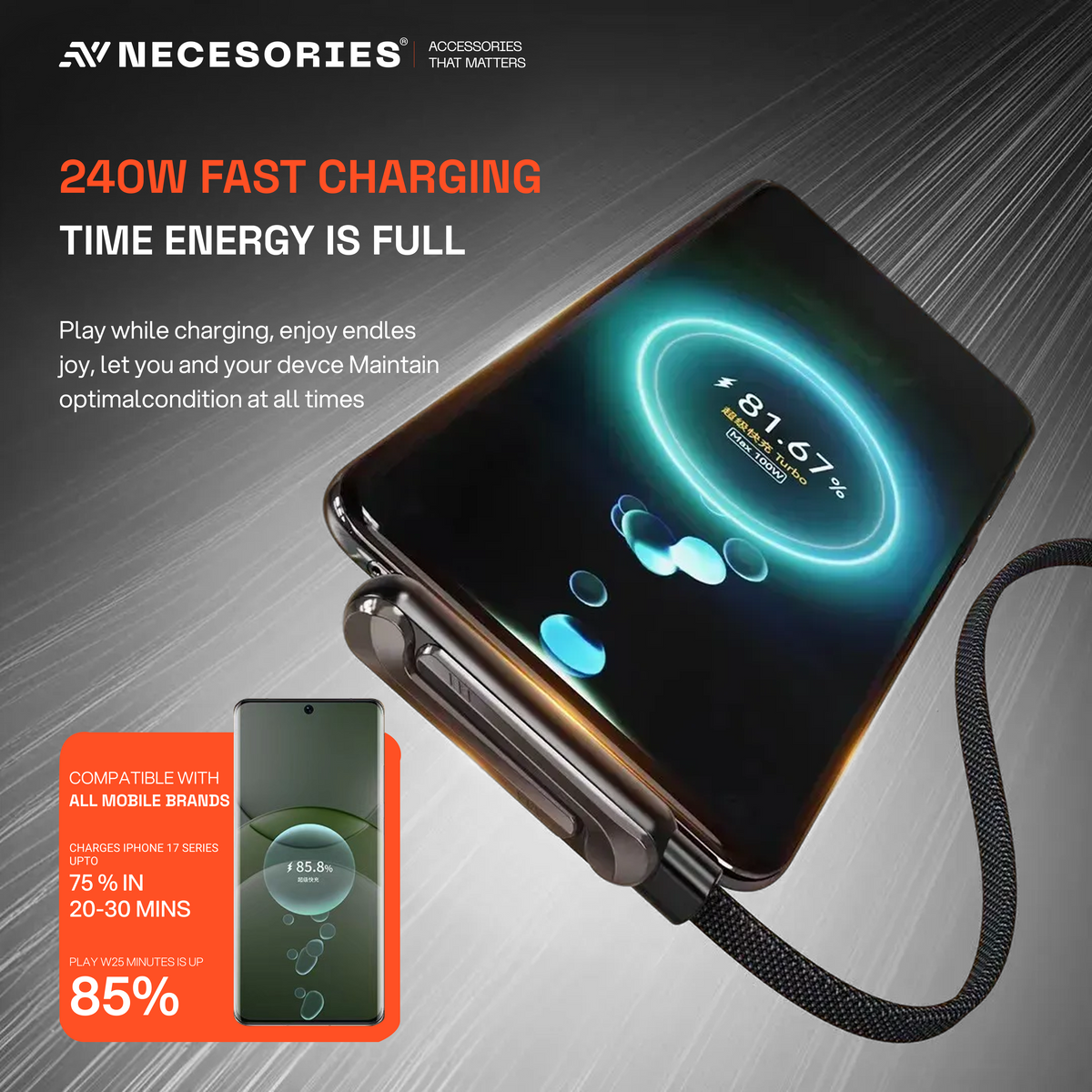
- A foldable stand built into the connector, so your phone can rest in landscape at a horizontal viewing angle of up to 90° while it charges.
- A 90-degree, L-shaped connector designed for comfortable use while gaming, which the page says also helps protect the port.
- A flat, braided exterior with a tangle-free design.
- A 1.5-metre length, long enough to reach from a wall socket to a desk or bedside table.
In practice, that means you can charge and watch a video, join a video call, or follow a recipe without hunting for a separate stand. If you want a dedicated stand for recording reels or hands-free calls, see our guide on how to mount your phone for reels and video calls, or browse Phone Stands.

Quick checklist before you buy a 240W USB-C cable
- Check your phone has a USB-C port (iPhone 15 or later, or a recent Android phone).
- Check your charger has a USB-C output; a USB-C to USB-C cable will not fit an older USB-A brick.
- Match your charger to your phone's fast-charging wattage if you want quicker charging.
- Decide whether 480Mbps data transfer is enough for how you move files.
- Think about where you charge: a 1.5-metre cable with a built-in stand suits desks and bedside tables.
See all our cables in Charging Cables.
FAQ
Is a 240W cable safe for my phone?
Yes. With USB Power Delivery, the charger and phone agree on the power level, so the phone only takes what it supports. The 240W figure is the cable's maximum.
Will this cable work with an iPhone 14?
No. The iPhone 14 and earlier use a Lightning port, so they need a USB-C to Lightning cable instead.
Can I charge my MacBook with it?
Yes, if your MacBook charges over USB-C. Use it with your USB-C laptop charger; the charging speed depends on that charger.
Does the cable come with a charger?
The product page describes a cable with a built-in stand and does not mention a charger, so plan to use your existing USB-C adapter.
Will it transfer photos from my phone to a laptop?
Yes. It supports data transfer at up to 480Mbps, which works for photos, backups and documents.