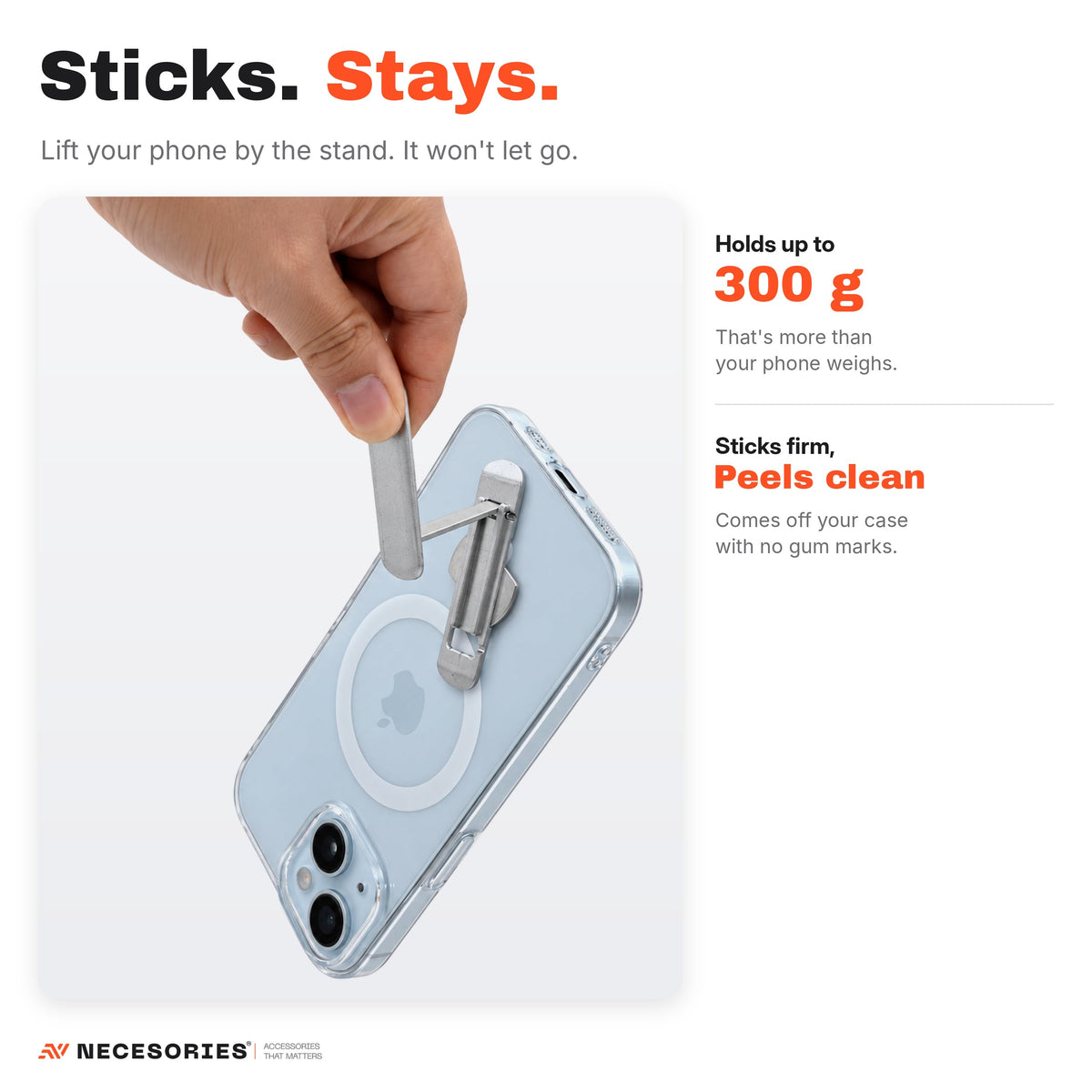
Short answer: To make a stick-on kickstand stay put, clean the phone or case surface, line the stand up with the alignment card, press it firmly for 30 to 40 seconds, then wait 15 to 20 minutes before using it. The Flip 360's adhesive pad bonds to glass and matte phone backs, hard cases and clear cases, but its product page says it is not compatible with silicone, leather or glossy finishes.
A stick-on kickstand is one of the simplest ways to prop your phone up for a video call, a recipe in the kitchen or a cricket match on the train. Most problems with these stands come down to setup: a dusty surface, the wrong case material or using it before the adhesive has set. This guide walks through how to fit the Flip 360 Phone Kickstand so it holds, using the steps and specifications from its product page.

Which surfaces will a stick-on kickstand hold to?
Surface is the first thing to check, because no amount of pressing will help if the adhesive cannot grip. The Flip 360 product page lists where it works and where it does not.
| Surface | Works with Flip 360? | What to do |
|---|---|---|
| Glass phone back | Yes | Clean and stick directly to the phone |
| Matte phone back | Yes | Clean and stick directly to the phone |
| Hard case | Yes | Stick to the outside of the case |
| Clear case | Yes | Stick to the outside of the case |
| Silicone case | No | Stick to the phone and use the case without the stand, or choose a different stand |
| Leather case | No | Stick to the phone and use the case without the stand, or choose a different stand |
| Glossy finish | No | Choose a different stand |
If you use a silicone or leather case, our guide on which phone kickstand works with your case compares the stick-on, magnetic and cable stand options we carry.
How do you stick on the Flip 360 step by step?
The product page sets out three steps: align, apply and set.
1. Align. Clean the surface where the stand will go so it is free of dust and finger grease. Rest the included alignment card on the bottom edge of the phone or case, and position the stand between the orange marks on the card. This keeps it centred, which helps the phone balance when it is standing.
2. Apply. Remove the liner from the adhesive pad. Place the stand just above the card and press firmly for 30 to 40 seconds. Firm, even pressure across the whole base helps the pad make full contact.
3. Set. Leave it for 15 to 20 minutes before first use. This is the step people most often skip. Opening the stand and loading it with the phone's weight straight away puts stress on the adhesive before it has bonded.

Will it hold a big phone in a case?
The Flip 360 is rated to support devices up to 300 g, and its product page says this includes larger phones in protective cases. Add up your phone and case weight to check. For example, Apple lists the iPhone 18 Pro Max at 249 g, so with a hard or clear case it needs to stay under that 300 g limit. Your phone maker's specification page lists the exact weight for your model.
The stand itself is 55 x 14 x 4.5 mm and weighs 11.5 g, so it adds very little bulk. Folded, it sits flush against the phone or case and still slides into a pocket.
How do you get the right viewing angle?
The base turns a full 360° and the hinge tilts from 0° to 90°, so you can stand the phone in portrait or landscape. Portrait suits video calls and recipe videos on a kitchen counter. Landscape suits films, cricket streams and reading slides on a desk. The hinge is tested through 500 open and close cycles and holds its tension, according to the product page. For more setup ideas, see how to mount your phone for reels and video calls.

What if you need to move it later?
A spare adhesive pad comes in the box, along with the alignment card, so you have a second pad if you change phones or cases. Plan the position before you press it down, because the adhesive is designed to be applied once to a clean surface. The product page does not give removal steps, so contact us before prying the stand off a phone back.
If you would rather not stick anything on your phone, the stands collection also has the Pocket 3-in-1 Magnetic Phone Stand and the Adjustable Metal Pocket Kickstand.
Quick checklist before you buy a stick-on kickstand
- Check your phone back or case: glass, matte, hard or clear surfaces work; silicone, leather and glossy finishes do not.
- Add up your phone and case weight and keep it under 300 g.
- Clean the surface before you apply the stand.
- Use the alignment card to centre the stand.
- Press for 30 to 40 seconds and wait 15 to 20 minutes before first use.
- Keep the spare pad for a future phone or case.
FAQ
Does the Flip 360 work on any phone?
The product page lists compatibility with all smartphones, as long as the surface it sticks to is glass, matte, a hard case or a clear case.
Can I stick it on a silicone case?
No. The product page says it is not compatible with silicone, leather or glossy finished surfaces.
How long should I wait before using it?
Allow 15 to 20 minutes after pressing it on before you open the stand for the first time.
What is in the box?
The Flip 360 stand, a spare adhesive pad, an alignment card and a setup guide.
What is it made of?
A zinc alloy body with a silver finish, weighing 11.5 g.